



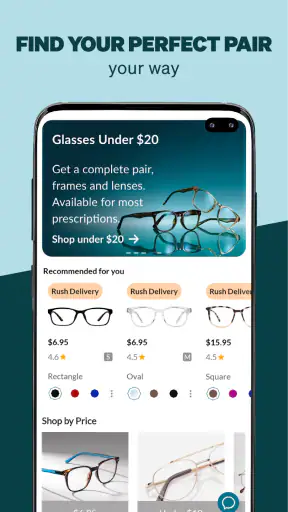
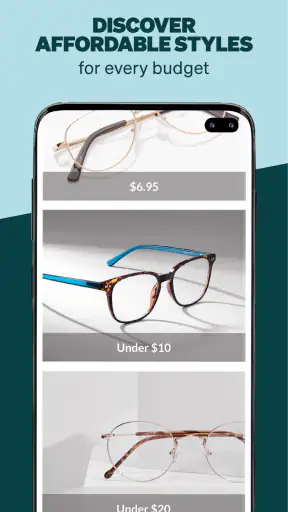
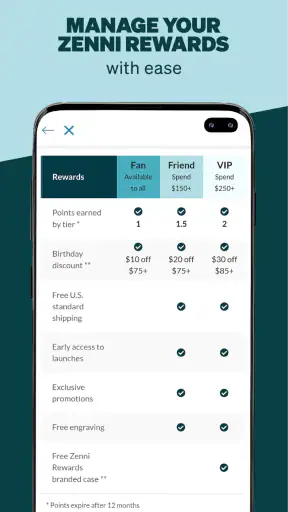
Buying glasses online usually sounds simple until I start wondering whether a frame will actually suit my face, whether the measurements are reliable, and whether I am choosing a shape because I like it or because it looks good in a tiny product photo. Zenni | Try On & Buy Glasses takes aim at that uncertainty from a shopping app rather than a traditional optical store. In my experience, its main value is not just browsing frames; it is making the early part of the decision feel more visual and interactive.
This is a free shopping app from Zennioptical, rated for Everyone and available on devices running OS 10 or later. It has built a substantial audience, with an average rating of 4.8 from around 98 thousand ratings and more than 1 million installs. Those figures do not replace personal testing, but they do suggest that the app has become a familiar option for people who want to explore glasses from a phone.
What I considered before trusting the app with a glasses purchase
I judge a glasses-shopping app by four practical questions. First, can I narrow down frames without feeling buried in an endless catalog? Second, does the virtual try-on help me make a better decision, or is it merely a novelty? Third, can I handle measurements confidently enough to avoid an uncomfortable order? Finally, does the app fit the way I actually shop, whether I am replacing everyday glasses, looking for sunglasses, or comparing several styles before visiting an optician?
Zenni | Try On & Buy Glasses is strongest on the visual side of that process. The app lets me see frames on my face virtually, measure my pupillary distance, and compare eyeglasses with sunglasses in one place. That combination matters because frame shape is difficult to judge from a front-facing product image alone. A frame that looks elegant in isolation can feel too wide, too heavy, or simply wrong once it sits against my features.
I also pay attention to how much effort an app demands before it becomes useful. Here, I can begin by browsing rather than committing to a complicated setup. That makes it convenient for casual research: I might be replacing a pair soon, but I may not yet know whether I want a subtle rectangular frame, a rounder look, or sunglasses that feel less ordinary than my current pair.
The app is currently at version 7.7.2, which is useful context for anyone comparing it with older reviews or screenshots. My broader impression is that it is designed as a complete shopping route rather than a simple catalog viewer. I can move from inspiration to virtual checking and then toward purchase decisions without switching immediately to a separate tool for every step.
Virtual try-on is useful, but I treat it as a filter
The virtual try-on is the feature I would use first, especially when I am unsure about a frame category. It gives me a faster way to reject styles that clearly do not work before I spend time examining details. That is a real advantage over ordinary online stores where I may have to imagine the result from a static photograph.
Still, I would not treat the camera view as a final fitting appointment. A screen can help me compare proportions and general appearance, but it cannot fully communicate how a frame feels on the nose, whether the temples press behind the ears, or how the lenses change my view. Lighting, camera angle, hair, and the position of the phone can also influence my impression.
My practical tip is to use the tool comparatively rather than emotionally. I would try several frames from different shapes, take screenshots if the workflow allows it, and look at them again later instead of ordering the first pair that looks attractive. The most useful question is not “Do I like this picture?” but “Does this frame still look balanced when I compare it with three genuinely different options?”
This approach makes the feature more valuable for people who already know the approximate size and style they need. It is less decisive for someone buying glasses for the first time or someone whose face is difficult to fit. In those cases, the try-on can narrow the field, but an in-person fitting may still be the safer final step.
PD measurement can remove one common online-shopping obstacle
Pupillary distance is easy to overlook when browsing frames, yet it is an important part of ordering prescription glasses. The app includes a way to measure PD, which means I do not necessarily have to search for a separate measurement tool before continuing with the purchase process.
I would approach this step carefully. I would follow the on-screen instructions, keep my head steady, and repeat the measurement rather than accepting the first result automatically. If repeated attempts produce noticeably different readings, that is a sign to slow down and verify the number another way. A convenient in-app measurement does not make careful positioning irrelevant.
This is one of the app’s less obvious strengths: it connects the visual decision with a practical ordering requirement. Many shopping apps help me find a product but leave the technical preparation elsewhere. Here, the measurement feature can make the transition from “I like this frame” to “I can realistically order this frame” feel more manageable.
However, I would not use the app as a substitute for a current prescription or professional eye examination. The app can support the shopping process, but it is not the place to determine whether my prescription has changed or whether a particular lens setup is medically appropriate. For anyone with a complicated prescription, unusual fitting needs, or uncertainty about their eye health, an optician remains the better starting point.
Comparing frames works better when I shop by situation
One mistake I can easily make in a glasses catalog is treating every frame as if it serves the same purpose. I get better results when I divide the search into real situations: everyday work, driving, reading, outdoor use, or a spare pair. The app’s mix of eyeglasses and sunglasses supports that kind of comparison, because I can think about function and appearance together instead of browsing randomly.
For example, I might start with a dependable everyday frame, then compare sunglasses separately rather than assuming one shape should do everything. A frame that works well with my usual clothes may not offer the same visual balance when I am outdoors or wearing different colors. Looking at these choices as separate jobs helps me avoid buying an attractive pair that does not fit my routine.
I also recommend comparing frames at the same stage of the process. If I jump between unrelated categories, colors, and shapes, I can lose track of what I actually prefer. A more disciplined workflow is to choose a small group, compare them on my face, remove the obvious mismatches, and only then inspect the remaining options more closely.
That makes the app feel less like an endless scroll and more like a personal shortlist tool. It is a small change in behavior, but it reduces the chance that I will confuse novelty with suitability.
Where the app wins against ordinary online catalogs
The clearest win is the combination of visual try-on and PD measurement. A standard online glasses store may show attractive product photography, but I still have to imagine the frame on my face and solve the measurement question separately. Zennioptical’s app brings both concerns into the same shopping journey.
It is also more useful than browsing only in a mobile browser when I expect to compare several possibilities over time. An app-based workflow feels suited to returning to a shortlist, checking a different category, or revisiting sunglasses after I have already explored eyeglasses. That is particularly helpful when I am not ready to buy during the first session.
Another advantage is the lower emotional pressure compared with walking into a store and trying to make a decision while someone waits nearby. I can explore styles privately, test combinations at my own pace, and show a family member or friend the options I am considering. For people who feel rushed in optical shops, that relaxed comparison can be meaningful.
The app also has a practical role for repeat buyers. If I already understand the type of fit I like, the virtual tool can help me decide whether a new shape is worth considering before I place an order. In that situation, it is not replacing professional advice; it is reducing the amount of guesswork involved in browsing.
When a different shopping route may be better
I would not recommend relying on this app alone if fit is my biggest concern and I have never worn glasses before. Virtual placement can show general proportions, but it cannot reproduce the tactile information I get when an optician adjusts a frame. Someone with a narrow bridge, sensitive ears, or a history of frames slipping may benefit more from trying physical samples first.
An optical store is also the better choice when I need immediate help interpreting a prescription or solving a complicated lens requirement. The app is built around shopping and comparison, not around replacing the full professional service of an eye-care visit. That distinction is important because convenience should not encourage me to guess about something that affects daily vision.
A conventional website may suit me better if I prefer larger-screen browsing or do not want to use a phone camera for virtual fitting. The app’s strongest tools are tied to the mobile experience, so its advantages matter less to someone who mainly compares products on a computer.
I would also skip the app as my only decision tool if I need to touch a frame before committing. Some shoppers can identify the right material, weight, and flexibility only through physical handling. In that case, the app still has value for discovering styles, but I would use it as research before visiting a store rather than as the complete purchase experience.
The real cost of switching from a familiar method
Moving from a local optical shop to an app changes more than where I click. I take on more responsibility for measuring, comparing, and judging whether a frame will work in daily life. The financial appeal of a free app is obvious, but the time cost can appear later if I order based on a rushed virtual impression and then need to rethink the choice.
That is why I see the app as most effective when I use it deliberately. I would prepare my prescription information, repeat the PD measurement, compare frames in consistent lighting, and avoid making a decision while distracted. Those habits cost a few extra minutes but reduce the risk of choosing based on a distorted camera view or a temporary preference.
There is also a learning curve in understanding my own fit preferences. After using the app, I may discover that I consistently prefer certain proportions or that some frame shapes make my face look longer or wider. That insight can help with future shopping, but the first session may take longer than a quick store visit because I am learning how to judge frames on screen.
For a repeat purchase, the balance changes. Once I know what works for me, the app becomes faster because I am no longer evaluating every possible style. I can use virtual try-on to test variations, use the PD tool when needed, and focus on a smaller set of realistic choices. The initial effort can therefore pay off if I expect to shop for glasses more than once.
Who I think will get the most from it
I would recommend Zenni | Try On & Buy Glasses to someone who wants to explore glasses privately, compare styles visually, and avoid starting with a crowded optical counter. It is especially appealing for a person who already has a prescription, understands roughly what fits, and wants help deciding between several frame looks.
It is also a good match for shoppers who are considering sunglasses alongside everyday glasses. Instead of treating sunglasses as an unrelated search, I can compare them as part of the same personal style decision. That makes the app more useful for planning a small rotation rather than searching for one emergency replacement.
People who enjoy experimenting may appreciate it even more. The try-on feature lowers the effort of testing a frame shape I would normally ignore in a store. I can explore outside my usual habits without asking an employee to bring out multiple options or feeling that I am wasting anyone’s time.
Who should be cautious before ordering
I would be cautious if I am uncertain about my prescription, my PD, or the frame measurements that have worked for me in the past. The app can make shopping easier, but it cannot remove the consequences of entering inaccurate information. Repeating the measurement and checking previous glasses or professional records is a sensible part of the process.
I would also be cautious if I expect a virtual try-on to answer every fit question. It is best at appearance and rough proportion, not at pressure points, lens thickness, nose comfort, or how the glasses behave after several hours. If those details have caused problems for me before, I would combine the app with professional fitting rather than treating the screen preview as proof.
Finally, I would skip it if I dislike making decisions from photos and want an entirely hands-on experience. That is not a flaw in the app so much as a mismatch between the tool and my shopping style. A free download is not automatically the right choice if the part I value most is physical inspection.
My recommendation after weighing convenience against certainty
My overall view is positive, with one important condition: I would use the app as a decision aid, not as a replacement for every part of buying glasses. Its strongest contribution is reducing uncertainty at the browsing stage. Seeing frames on my face and handling PD measurement in the same mobile experience is more useful than a basic catalog, especially when I am comparing styles from home.
The app is free, carries an Everyone age rating, and has the kind of broad adoption that makes it easy to consider as a first stop. Zennioptical has also kept it available in a current version, so I would feel comfortable trying it when I want to explore glasses or sunglasses without committing to a store visit immediately.
My suggested workflow is simple: begin with a clear purpose, test several genuinely different frames, repeat the PD measurement, and pause before ordering. If I have a straightforward prescription and a reasonable understanding of my fit, the app can make online shopping feel much more informed. If I have unusual fitting needs or medical questions, I would use it for inspiration and take the final decision to an optician.
My recommendation is to download it when you want a visual shortlist, not a virtual substitute for professional fitting. Used that way, it offers a practical middle ground between the imagination required by a traditional online catalog and the time commitment of visiting a store for every comparison.


